 Unlimited Watchlists
How to import a CSV watchlist into TradingView
Updated July 17, 2026
Symbol lists tend to live in files: a broker's holdings export, a screener's results, a spreadsheet you've curated for years. Getting that file into TradingView usually means re-typing symbols one by one — or fighting with exchange prefixes and plan limits. Here's the faster way.
What TradingView supports natively
TradingView's watchlist menu can import a plain text list of symbols, but it expects
exchange-prefixed tickers (like NSE:RELIANCE), and whatever you import still
counts against your plan's watchlist and symbol caps — on the free plan, that's a single list
(see the watchlist-limit guide). If your file
is a plain CSV from a broker or screener, you'll be cleaning it up in a spreadsheet first.
The one-click alternative
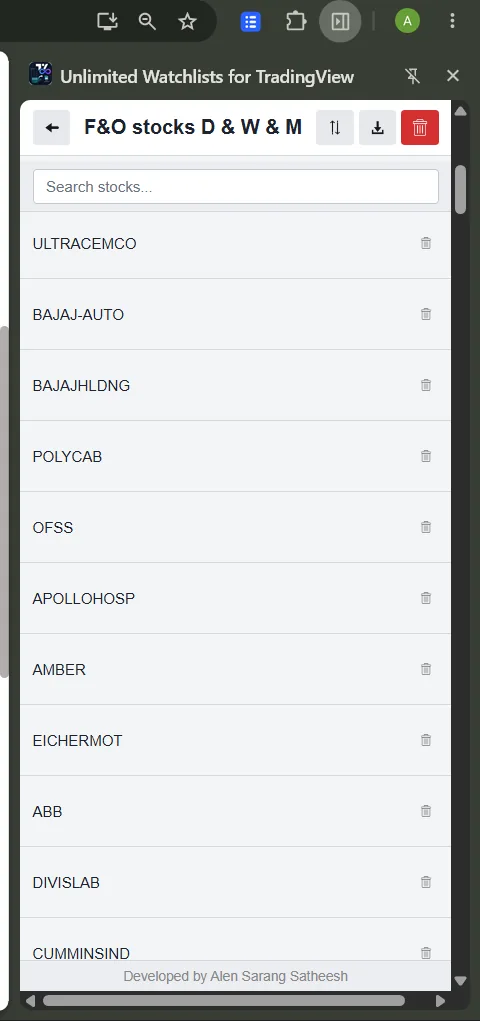
Unlimited Watchlists for TradingView — a free Chrome extension — imports a CSV straight into a side-panel watchlist and opens any symbol's TradingView chart with one click. No plan limits, no prefix formatting, no cleanup.
- Open the side panel and choose Import from CSV from the import menu.
- Pick your file. A new watchlist is created, named after the file — or, if you import from inside an open watchlist, the symbols are added to it.
- Click any symbol to open its chart on TradingView; press Space to cycle through the list.
What the CSV needs to look like
Almost nothing — the importer is deliberately forgiving:
- One symbol per row, in the first column. Extra columns (price, notes, whatever your broker adds) are ignored.
- A header row like
SymbolorTickeris detected and skipped automatically. - Quotes are stripped, symbols are uppercased, and duplicates are removed for you.
So a file as simple as this works as-is:
SymbolRELIANCETCSHDFCBANKINFY
Export works too
Any watchlist can be exported back to CSV from the side panel — useful for backups, sharing a list, or moving your watchlists to another computer (import the file there and you're done).
Frequently asked questions
Does this import into my TradingView account?
No — and that's deliberate. The list lives in the browser side panel, which is why no plan limit applies. Clicking a symbol opens its chart on tradingview.com; your account's own watchlists are untouched.
Do I need exchange prefixes like NSE: in the file?
No. The extension is built with Indian markets in mind: plain symbols open on NSE by default,
numeric BSE scrip codes are recognized automatically, and NSE: or
BSE: prefixes are respected if your file already has them. Files exported from
brokers and screeners can be used without editing.
Is there a size limit?
No practical one — thousands of symbols across any number of lists are fine. Each file becomes (or updates) its own watchlist.